
ArchivesSpace: Agents & Subjects
Field guidance for creating agents and subjects • View the full HARC ArchivesSpace Manual on the HARC SharePoint.
Agents
Agents are created and/or selected for all accessions and resources. This is where the creator's authority information is captured. The authority name is the Library of Congress Name Authority (lcna, i.e., NACO) or if the name does not exist, create one following DACS. The creator's authority name may differ from its common name. Use the name authority for the agent.
Agent Fields
Fill out only if the collection is already or in the midst of being processed and a resource record exists in ASpace.
Creating a New Agent — click to expand

- Resource: Type in or browse resources and select one.
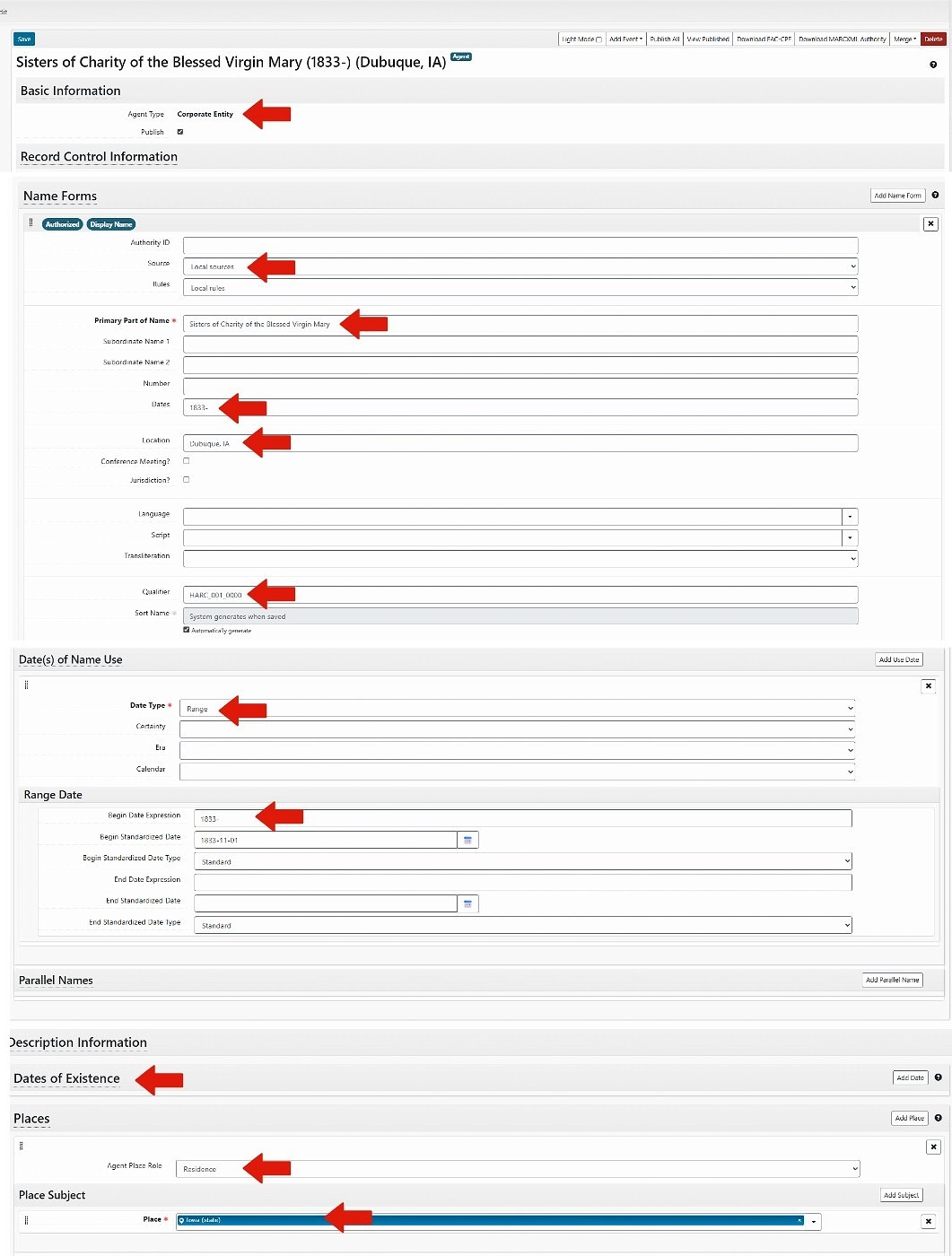
- Create Agent: To create a new agent, select "Create" from the dropdown. Then choose the creator type from the dropdown list [Person, Family, Corporate Entity, Software].
- Resource: Type in or browse resources and select one.
- Basic Information > Publish: Check.
If using a NACO authority record, enter the LC Control no. If creating a Reuther Agent, enter the next available Reuther Agent ID from the Reuther Agent Numbers spreadsheet. Enter the new agent on the spreadsheet next to the ID.
Reuther Agents or NACO Authority File
Reuther Agents: Describing Archives: A Content Standard; NACO Authorities: Anglo-American Cataloging Rules or Resource Description and Access (AACR for all non-RDA agents)
Leave as "Indirect."
Record the prefix if applicable.
Record the title if applicable.
Record the last name.
Record the first and middle names.
Record a term that follows the name, if applicable.
If the first and middle names were abbreviated, this is where the complete versions are recorded.
Add number if applicable.
Dates of Existence: Select "Add Date" if using a Reuther Agent, or the NACO agent has a date.
Range, Single
Leave blank if date is confirmed, otherwise select "Approximate" if using circa or active dates.
Only use if entering circa dates or active dates. Only use active date(s) if the agent is a Reuther agent and birth or death dates cannot be determined or approximated.
Type date using the format YYYY or YYYY-MM-DD, or select date from calendar
Type date using the format YYYY or YYYY-MM-DD, or select date from calendar
Begin or End
Type or select date from calendar
Subjects
Subjects are created and/or selected for all resource records. A subject provides authoritative context about the collection. Use Library of Congress Subject Headings (LCSH) or if the subject does not exist, create one following DACS.
Subject Fields
Creating a New Subject — click to expand
- Select: Add Subject
- Subjects: Begin typing, browse, or create subject. If creating a new subject, check LCSH first.
From the dropdown, select "Browse." Search for the subject using the box in the upper left, use the list to browse for the box, and/or use the facets listed on the left to narrow your search. After selecting the subject, select "Link to Subjects."
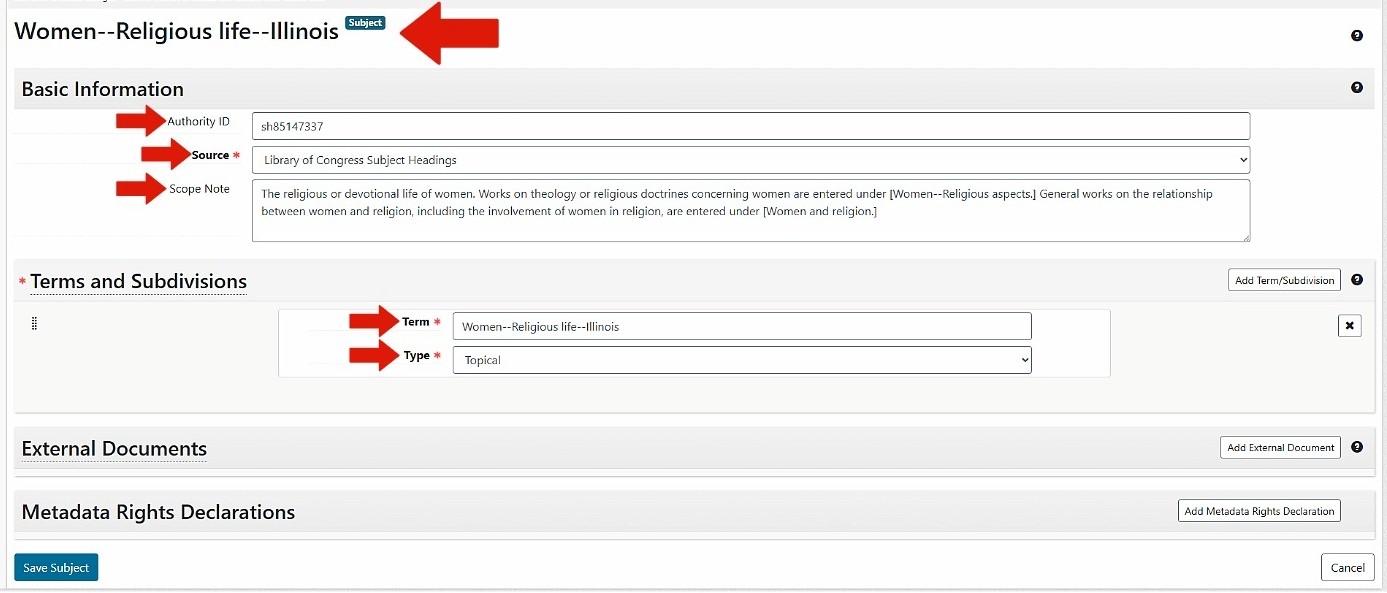
To create a new subject, select "Create" from the dropdown.
If using LCSH, enter LC Control no. If using Reuther Taxonomy, leave blank.
Select applicable source: Library of Congress Subject Headings; Reuther Taxonomy; Art & Architecture Thesaurus; or TGM II, Genre and physical characteristics.
Enter the term
If using LCSH, select the subject heading type (e.g., Topical — found by selecting the "Labeled Display" tab on LCSH MARC record webpage). If not using LCSH, select a Type that best represents the Subject (most subjects will fall under topical or geographic).
Collection Management
Record processing priority: high (1), medium (2), or low (3).
Do not check.
Enter the level to which the collection should be processed (1, 2, or 3).
Need Help?
Contact the HARC archives team for site-specific policies and workflow questions, or access the full manual and quick guides.